Best Heatsinks for Desktop: 10 Spec-Based Picks
As an Amazon Associate we earn from qualifying purchases. Links on this page are affiliate links.
Finding the right heatsink for desktop hardware depends on your socket type, clearance, and cooling goals. We evaluated 10 products based strictly on the specifications published on their listings. The AMD Wraith Prism RGB CPU Cooler takes the top spot because it combines AM4 socket compatibility, direct-contact heat pipes, and a copper core base.
This guide helps you decide between active fan assemblies, silent passive heatsinks, and copper gap-filling shims to match your system clearance and component dimensions.
Quick picks
The best fit for you
- You need active AM4 CPU cooling with integrated lighting AMD Wraith Prism RGB CPU Cooler It features native AM4 socket compatibility, direct-contact heat pipes, a copper core base, and integrated RGB lighting.
- You need a dedicated HP EliteDesk SFF replacement cooler BestParts HP EliteDesk G2 SFF Heatsink Fan It provides a factory-style fan and heatsink assembly designed specifically for HP EliteDesk G2 SFF desktop systems.
- You want pre-cut thermal pads for M.2 SSD heatsinks Awxlumv M.2 2280 Thermal Pads 6-Pack These 1mm pads deliver 12.0 W/mK heat transfer sized specifically for M.2 2280 desktop and PS5 drives.
- You want completely silent fanless cooling on socket AM4 KFXJMY Passive Desktop CPU Heatsink Its passive heat pipe architecture cools AM4 desktop processors without moving parts to achieve zero noise.
Our 10 picks

AMD Wraith Prism RGB CPU Cooler
Best for: AM4 and legacy AMD desktop builds
- System Type
- Desktop (what this guide is about)
- Socket Compatibility
- AM2/ AM3/ AM3+ / AM4
- Material
- Aluminum with copper core base
- Compatible Device
- Desktop
- Dimensions
- 9.45"L x 27.17"W x 0.98"H
- Lighting
- RGB
This desktop heatsink pairs an aluminum fin array with direct-contact heat pipes and a copper core base. You get an integrated cooling fan with a 4-pin connector, switchable overclock fan profile, and RGB lighting. Thermal paste comes pre-applied directly to the base. It supports motherboard sockets AM4, AM3+, AM3, and AM2, making it a practical choice if you run supported AMD desktop hardware.
Pros
- Copper core base with direct-contact heat pipes
- Pre-applied thermal paste on the base
- Switchable overclock fan profile with 4-pin connector
- Socket support for AM4, AM3+, AM3, and AM2
Cons
- No Intel motherboard socket support listed
- No AM5 socket compatibility specified
Good fit if
- You use an AMD motherboard with an AM4, AM3+, AM3, or AM2 socket.
- You want direct-contact copper heat pipes with pre-applied thermal paste.
Skip if
- You run an Intel desktop platform.
- You need compatibility with newer AM5 sockets.
Verdict: AMD Wraith Prism RGB Desktop Cooler provides active cooling with direct-contact heat pipes, a copper core base, and integrated RGB lighting for supported AMD systems. Pre-applied thermal paste and a switchable overclock profile make it an all-in-one cooling solution for your AM4 or legacy AMD socket.

BestParts HP EliteDesk G2 SFF Heatsink Fan
Best for: HP EliteDesk G2 SFF desktop repairs
- System Type
- Desktop (what this guide is about)
- Compatible Device
- HP EliteDesk 705 800 600 G2 SFF Desktop
- Features
- Fan
- Weight
- 1.6 ounces
This is an integrated desktop CPU heatsink and fan combination unit designed specifically for small form factor systems. It weighs 0.1 pounds and serves as a direct replacement unit for HP EliteDesk 705, 800, and 600 G2 SFF desktops. You get active fan cooling built onto the heatsink. It suits you if you need dedicated hardware to restore airflow inside proprietary chassis.
Pros
- Integrated heatsink and fan assembly
- Lightweight build at 0.1 pounds
- Direct fit for HP EliteDesk 705, 800, and 600 G2 SFF desktops
- Matches replacement part numbers 810285-001 and 804057-001
Cons
- Limited strictly to specific HP EliteDesk SFF models
- Thermal paste not listed in package contents
Good fit if
- You own an HP EliteDesk 705, 800, or 600 G2 SFF desktop.
- You need a replacement cooler matching part 810285-001 or 804057-001.
- You require a lightweight 0.1-pound heatsink and fan unit.
Skip if
- You use a standard desktop motherboard with generic cooler mountings.
- You need a universal CPU heatsink for custom PC builds.
Verdict: BestParts HP EliteDesk SFF Heatsink and Fan provides an exact-fit cooling assembly for compatible HP small form factor desktops. It delivers targeted active cooling using a factory-style fan and heatsink design.

Awxlumv M.2 2280 Thermal Pads 6-Pack
Best for: PS5 and desktop M.2 SSD heatsinks
- System Type
- Desktop (what this guide is about)
- Material
- Nano Silicon Grease Material
- Compatible Device
- M.2 2280 SSD
- Dimensions
- 70x22x1mm
- Features
- Thermal Pad
- Length
- 2.76 inches
This six-piece thermal pad pack from Awxlumv provides thermal interface material for M.2 2280 solid-state drive heatsinks. You get six grey silicone pads measuring 70 by 22 millimeters with a 1-millimeter thickness. Each pad delivers 12.0 W/mK thermal conductivity across an operating temperature range of -40 to 200 degrees Celsius. This set suits you if you need pre-sized thermal interface sheets for PS5 consoles or desktop computer solid-state drive coolers.
Pros
- 12.0 W/mK thermal conductivity rating
- Pre-cut for standard M.2 2280 heatsink dimensions
- Operating temperature range spans -40 to 200 degrees Celsius
- Includes six 1mm thick pads in the pack
Cons
- Thermal pad only; includes no metal heatsink
- Fixed 1mm thickness cannot adjust for non-standard gaps
Good fit if
- You need replacement 1mm thermal interface material for a PS5 SSD heatsink.
- You want pre-cut 70 by 22mm pads sized for standard M.2 2280 drives.
- You prefer a multi-pack containing six individual thermal pads.
Skip if
- You need a complete heatsink assembly with metal cooling fins.
- You require thermal pads thinner or thicker than 1 millimeter.
Verdict: Awxlumv 1mm M.2 Thermal Pads supply 12.0 W/mK heat transfer for desktop and PS5 storage drives. The pre-sized six-pack simplifies thermal pad replacement beneath compatible M.2 2280 heatsinks.

MECCANIXITY 15x15mm 1mm Copper Shims
Best for: small chip and memory module heat dissipation
- System Type
- Desktop (what this guide is about)
- Material
- Copper
- Compatible Device
- Desktop Computer CPU
- Dimensions
- 15mm x 15mm, 1mm thickness
- Mounting Type
- Thermal Conductive Adhesive Tape
- Weight
- 0.35 ounces
This MECCANIXITY pack includes five 15mm by 15mm copper shims designed with a 1mm thickness for desktop components. Each copper pad features pre-applied thermal conductive adhesive tape and handles operating temperatures up to 160 degrees. You can apply them directly to small electronic chips, memory modules, or motherboard bridges that lack dedicated cooling. It suits you if you need compact, low-profile thermal transfer across small hardware gaps without adding active fan assemblies.
Pros
- Includes five 15 x 15mm pure copper shims
- Pre-applied thermal conductive adhesive backing
- Rated for operating temperatures up to 160 degrees
- Uniform 1mm thickness bridges small component clearances
Cons
- Copper surface darkens over time upon exposure to air
- Small 15 x 15mm footprint limits coverage to tiny ICs
- Lacks an active fan or finned heatsink structure
Good fit if
- You need 1mm copper spacers for memory chips or small ICs.
- You want peel-and-stick installation via pre-applied adhesive tape.
- You require passive thermal pads rated up to 160 degrees.
Skip if
- You need a full-size CPU heatsink with an integrated fan.
- You require contact pads larger than 15mm by 15mm.
Verdict: MECCANIXITY 15x15mm 1mm Copper Shims deliver direct, peel-and-stick passive thermal conduction for small desktop motherboard chips and memory ICs. The 1mm profile provides a simple metal contact layer rated for temperatures up to 160 degrees.

MECCANIXITY 20x20mm 0.3mm Copper Shims
Best for: low-clearance GPU and chipset component cooling
- System Type
- Desktop (what this guide is about)
- Material
- Copper
- Compatible Device
- Desktop Computer GPU CPU
- Dimensions
- 20mm x 20mm, 0.3mm thickness
- Mounting Type
- Thermal Conductive Adhesive Tapes
- Length
- 0.79 inches
The MECCANIXITY 20x20mm 0.3mm Copper Shims provide direct thermal transfer for compact desktop components. Each pack includes five copper pads measuring 20 mm by 20 mm with an ultra-thin 0.3 mm profile. Pre-applied thermal conductive adhesive tape lets you mount them directly onto GPUs, memory modules, or chipset hardware. They withstand temperatures up to 160 degrees, making them ideal if you need low-clearance heat dissipation for tight internal gaps.
Pros
- Includes 5 copper sheets with thermal conductive adhesive tape
- Slim 0.3 mm (0.01 inch) profile for low-clearance fits
- Withstands temperatures up to 160 degrees
- Pure copper material for direct heat transfer
Cons
- Surface darkens naturally when exposed to air
- Lacks an active fan or dedicated heatsink fins
Good fit if
- You need 0.3 mm thin copper shims for tight thermal gaps.
- You want pre-attached thermal conductive adhesive for mounting.
- You are cooling GPUs, memory modules, or desktop chipsets.
Skip if
- You need a full-size active CPU heatsink and fan assembly.
- You require thicker thermal material exceeding 0.3 mm.
Verdict: MECCANIXITY 20x20mm 0.3mm Copper Shims deliver heat conduction for compact GPU and chipset surfaces with minimal clearance. Their integrated adhesive backing simplifies mounting directly onto desktop board components.

MECCANIXITY 20x20mm 2mm Copper Shims
Best for: filling wide 2 mm component gaps
- System Type
- Desktop (what this guide is about)
- Material
- Copper
- Compatible Device
- Desktop computer GPU, CPU
- Dimensions
- 20mm x 20mm x 2mm
- Mounting Type
- Thermal conductive adhesive tape
- Weight
- 1.41 ounces
This package includes five 20 mm by 20 mm copper shims designed to bridge thermal gaps on desktop components like GPUs and memory modules. Each pad features a 2 mm thickness and comes with pre-applied thermal conductive adhesive tape. The solid copper construction withstands temperatures up to 160 degrees. You will find these useful if you need direct heat transfer across wide gaps on small desktop hardware.
Pros
- Solid copper construction rated up to 160 degrees
- Includes 5 separate 20 mm x 20 mm pads
- Pre-applied thermal conductive adhesive backing
- Substantial 2 mm thickness bridges wide thermal clearances
Cons
- Copper surface darkens over time when exposed to air
- Passive shim only with no built-in fin array or fan
- Fixed 20 mm by 20 mm dimensions limit component compatibility
Good fit if
- You need to bridge a thick 2 mm gap between a chip and a heatsink.
- You require peel-and-stick thermal adhesive for quick mounting.
- You are cooling GPUs, memory modules, or motherboard chipsets.
Skip if
- You need an active CPU cooler equipped with a fan and heat pipes.
- You have tight clearances requiring shims thinner than 2 mm.
Verdict: MECCANIXITY 20x20mm 2mm Copper Shims provide a simple, self-adhesive thermal interface for filling wide 2 mm clearances across desktop chips. They transfer heat directly up to 160 degrees without requiring complex mounting hardware.

PATIKIL 15x15x0.3mm Copper Heatsink Shims
Best for: filling narrow 0.3mm gaps in desktop hardware
- System Type
- Desktop (what this guide is about)
- Material
- Copper
- Dimensions
- 15x15x0.3mm
- Compatible Device
- GPU, Laptop
You get a 12-pack of solid copper shims sized at 15x15x0.3mm. These thin metal plates fill small gaps between your desktop CPU, GPU, or motherboard chipsets and their cooling hardware. Because they feature high thermal and electrical conductivity, they help transfer heat directly into a heat dissipation module. You will find them practical if you need multiple thin copper interfaces for desktop components.
Pros
- Solid copper construction for thermal conductivity
- Pack includes 12 individual 15x15x0.3mm shims
- Smooth, burr-free edges protect hardware surfaces
- Works with desktop CPUs, GPUs, and IC chipsets
Cons
- Adhesive and cleaning supplies are not included
- Electrical conductivity requires careful placement around open circuits
Good fit if
- You need to bridge a 0.3mm clearance between a processor and heatsink.
- You want a 12-piece pack for multiple desktop chips or expansion cards.
Skip if
- You need pre-applied adhesive or installation wipes included in the package.
- You require non-conductive thermal pads rather than bare copper.
Verdict: PATIKIL 15x15x0.3mm Copper Heatsink Shims deliver 12 bare copper gap fillers suited for fine clearance adjustments in desktop cooling setups. They provide direct metal heat conduction as long as you supply your own thermal adhesive.
PATIKIL 15x15x0.4mm Copper Heatsink Shims
Best for: bridging 0.4mm component clearance gaps
- System Type
- Desktop (what this guide is about)
- Material
- Copper
- Dimensions
- 15x15x0.4mm
- Compatible Device
- GPU, Laptop
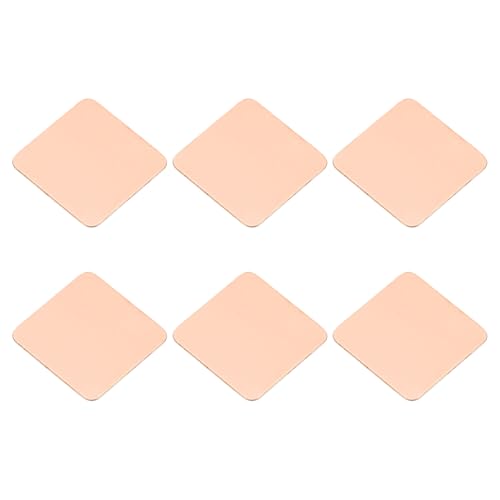
These PATIKIL copper shims come in a pack of six, each measuring 15 by 15 millimeters with a 0.4-millimeter thickness. Made of solid copper with smooth edges, they bridge physical gaps between heat-generating chips and your heatsink. If you need precise metal shims to improve thermal transfer on desktop GPUs, IC chipsets, or memory modules, these pads provide reliable conductivity.
Pros
- Pure copper construction provides high thermal conductivity
- Includes 6 pre-cut 15x15x0.4mm pieces
- Smooth surface finish with no burrs along edges
Cons
- Installation adhesive and cleaning accessories are not included
- Conducts electricity, requiring careful placement around exposed traces
Good fit if
- You need a 0.4mm copper spacer to bridge component gaps
- You are cooling desktop IC chipsets, GPUs, or memory modules
Skip if
- You want an all-in-one kit with thermal adhesive included
- You require an active heatsink assembly with a fan
Verdict: PATIKIL 15x15x0.4mm Copper Heatsink Shims deliver simple, solid-metal thermal transfer to close clearance gaps between components and cooling modules. They serve builders who need exact 0.4mm spacing for desktop electronic components.

KFXJMY Passive Desktop CPU Heatsink
Best for: silent fanless desktop PC builds
- System Type
- Desktop (what this guide is about)
- Cooling Method
- Passive fanless
- Compatible Device
- Desktop CPU
- Dimensions
- 0.39 x 0.39 x 0.39 inches
- Socket Compatibility
- AM4
The KFXJMY Passive Desktop CPU Heatsink is a fanless cooling unit built for silent desktop systems. It relies on passive heat dissipation with integrated heat pipes, eliminating moving parts and fan noise entirely. Listed specifications show compatibility with AM4 desktop sockets alongside 1151 and 1155 ITX configurations. This setup fits you if you want zero acoustic output for low-load desktop operations without needing active airflow from a dedicated CPU cooler fan.
Pros
- Passive fanless cooling design produces zero operational noise
- Features heat pipe construction for thermal transfer
- Supports AM4 socket desktop motherboards
- Compatible with 1151 and 1155 ITX form factors
Cons
- No integrated fan for active airflow cooling
- Dimensions listed at 0.39 inches across length, width, and height
Good fit if
- You need completely silent passive cooling for a desktop build.
- You run an AM4, 1151, or 1155 socket motherboard.
Skip if
- You need an active cooling fan for high-heat processing loads.
- You use an unsupported socket type not listed in the specifications.
Verdict: KFXJMY Passive Desktop CPU Heatsink delivers completely silent, fanless operation across AM4 and select Intel desktop platforms using a heat pipe setup. It serves as a dedicated option when your build prioritizes zero noise over forced-air fan circulation.
YQQEWI Passive Tower CPU Heatsink
Best for: silent AM4 desktop builds needing passive cooling
- System Type
- Desktop (what this guide is about)
- Cooling Method
- Passive fanless
- Compatible Device
- Desktop CPU
- Socket Compatibility
- AM4
This YQQEWI unit is a fanless tower cooler designed for desktop systems. It utilizes integrated heat pipes and a passive cooling method, eliminating mechanical fan noise entirely from your setup. The published specifications confirm compatibility with AM4 sockets, making it an option if you build a low-noise rig. Because it lacks an active fan, you rely entirely on system airflow inside your case to maintain stable processor temperatures during daily desktop operation.
Pros
- Passive cooling method operates with zero fan noise
- Tower design features integrated heat pipes
- Compatible with desktop AM4 processor sockets
Cons
- Does not include an active cooling fan
- Detailed height and clearance dimensions are omitted
Good fit if
- You want a zero-noise, passive heatsink for an AM4 socket build.
- You have sufficient internal case ventilation to cool a fanless tower.
Skip if
- You require an integrated fan for direct active airflow.
- You use a high-wattage desktop processor requiring active cooling.
Verdict: YQQEWI Passive Tower CPU Heatsink delivers completely silent thermal dissipation for desktop AM4 processors via heat pipes. It works well if you want zero acoustic output and maintain sufficient case airflow.
Specifications side by side
| Spec | AMD Wraith Prism RGB CPU Cooler | BestParts HP EliteDesk G2 SFF Heatsink Fan | Awxlumv M.2 2280 Thermal Pads 6-Pack | MECCANIXITY 15x15mm 1mm Copper Shims | MECCANIXITY 20x20mm 0.3mm Copper Shims | MECCANIXITY 20x20mm 2mm Copper Shims | PATIKIL 15x15x0.3mm Copper Heatsink Shims | PATIKIL 15x15x0.4mm Copper Heatsink Shims | KFXJMY Passive Desktop CPU Heatsink | YQQEWI Passive Tower CPU Heatsink |
|---|---|---|---|---|---|---|---|---|---|---|
| Socket Compatibility | AM2/ AM3/ AM3+ / AM4 | not specified | not specified | not specified | not specified | not specified | not specified | not specified | not specified | not specified |
| Material | Aluminum with copper core base | not specified | Nano Silicon Grease Material | Copper | Copper | Copper | Copper | Copper | not specified | not specified |
| Cooling Method | not specified | not specified | not specified | not specified | not specified | not specified | not specified | not specified | Passive fanless | Passive fanless |
| Compatible Device | Desktop | HP EliteDesk 705 800 600 G2 SFF Desktop | M.2 2280 SSD | Desktop Computer CPU | Desktop Computer GPU CPU | Desktop computer GPU, CPU | not specified | not specified | Desktop CPU | Desktop CPU |
| Dimensions | 9.45"L x 27.17"W x 0.98"H | not specified | 70x22x1mm | 15mm x 15mm, 1mm thickness | 20mm x 20mm, 0.3mm thickness | 20mm x 20mm x 2mm | 15x15x0.3mm | 15x15x0.4mm | 0.39 x 0.39 x 0.39 inches | not specified |
| Mounting Type | not specified | not specified | not specified | Thermal Conductive Adhesive Tape | Thermal Conductive Adhesive Tapes | Thermal conductive adhesive tape | not specified | not specified | not specified | not specified |
| Lighting | RGB | not specified | not specified | not specified | not specified | not specified | not specified | not specified | not specified | not specified |
| System Type | Desktop | Desktop | Desktop | Desktop | Desktop | Desktop | Desktop | Desktop | Desktop | Desktop |
| Features | Fan | Fan | Thermal Pad | Thermal Tape | not specified | not specified | not specified | not specified | not specified | not specified |
| Weight | 1 pounds | 1.6 ounces | 1.41 ounces | 0.35 ounces | 0.35 ounces | 1.41 ounces | not specified | not specified | not specified | not specified |
| Length | not specified | not specified | 2.76 inches | not specified | 0.79 inches | not specified | not specified | not specified | not specified | not specified |
| Width | not specified | not specified | 0.87 inches | not specified | 0.79 inches | not specified | not specified | not specified | not specified | not specified |
| Size | 9.45"L x 27.17"W x 0.98"H | not specified | 2.75; 0.87; 0.04 | 1mm | 0.3mm | 2mm | 15x15x0.3mm | 15x15x0.4mm | One Size | One Size |
| Color | Black | not specified | Grey | not specified | not specified | not specified | not specified | not specified | 7 | 7 |
| Model | AM4 | VG.XX.482-HY | 70x22x1mm | mea231220ee000018 | mea231220ee000001 | mea231220ee000014 | not specified | not specified | KFXJMY | YQQEWI |
If you are looking for a complete system, see our list of the best HP gaming desktops for your needs.
How to Choose Desktop Heatsinks
-
Choose Active or Passive Cooling
You need to choose between active cooling with fans and passive heatsink assemblies. Active models use fans to drive airflow across cooling fins, which suits higher-load desktop processors. Passive options, such as the KFXJMY Passive Desktop CPU Heatsink, rely entirely on heat pipes and natural case convection to dissipate heat. This provides silent desktop operation with no moving parts. Review your chassis airflow before choosing passive hardware, as passive designs require good internal case circulation to move heat away from your AM4 processor.
-
Verify Component Clearance Gap Thickness
Physical spacing between hot chips and larger coolers varies across desktop hardware. When bridging these gaps, you must measure the exact clearance distance. Metal shims come in precise thicknesses, ranging from 0.3 millimeters to 2 millimeters. For example, MECCANIXITY 20x20mm 2mm Copper Shims bridge wide spaces, whereas thin gaps require 0.3mm or 0.4mm profiles. Selecting an incorrect thickness prevents proper thermal contact or applies excessive mechanical pressure onto delicate GPU dies and motherboard chips. Always check your hardware specifications to confirm the exact gap dimension before purchasing.
-
Inspect Thermal Interface Material Type
You should match the thermal material to your cooling surface. Copper shims offer solid metal heat conduction and tolerate operating temperatures up to 160 degrees. However, soft thermal pads conform more readily to uneven component surfaces. The Awxlumv M.2 2280 Thermal Pads provide a rated conductivity of 12.0 W/mK across a 70 by 22 millimeter footprint, ideal for M.2 storage drives in desktops or PS5 systems. Evaluate whether your target component requires the rigid heat transfer of solid copper or the compliant cushioning of a pre-sized silicone pad.
-
Check for Mounting Adhesive Layers
Installation methods depend on how thermal hardware adheres to electronic parts. Some shims incorporate pre-applied thermal tape, creating a peel-and-stick mounting solution for small motherboard chips. In contrast, bare metal products like the PATIKIL 15x15x0.3mm Copper Heatsink Shims arrive without sticky backing. When using bare copper shims, you must supply your own thermal adhesive or paste to secure the metal shim between the component and the cooler. Confirm the mounting specifications on the product listing so you know whether the package includes self-adhesive backing or requires separate thermal bonding materials.
-
Evaluate Base and Heatpipe Construction
Examine the base metal and heat transport technology listed for CPU coolers. Direct-contact heat pipes route heat swiftly from the processor surface into the fin array. Coolers featuring a solid copper core base, such as the AMD Wraith Prism RGB CPU Cooler, offer efficient thermal conduction directly over the central processor die. Pre-applied thermal paste on the base also eliminates the extra step of spreading your own paste during setup. Review these specifications to ensure the thermal contact surface matches your processor power demands and eases initial desktop assembly.
-
Match Proprietary SFF Chassis Dimensions
Prebuilt and small form factor desktop PCs frequently rely on proprietary mounting layouts rather than standard retail brackets. Standard heatsinks cannot fit inside cramped low-profile enclosures with specialized mounting holes. When repairing or upgrading branded office machines, verify whether the listing specifies OEM compatibility. The BestParts HP EliteDesk G2 SFF Heatsink Fan provides a factory-style assembly engineered specifically for that particular small form factor chassis. Checking model compatibility numbers, like VG.XX.482-HY, ensures the heatsink fan lines up with your motherboard screw holes and case dimensions properly.
Frequently asked questions
What is the purpose of copper shims in desktop cooling?
Copper shims bridge physical clearances between hot processing chips and heatsink assemblies. You use them when standard thermal pads or bare contact plates leave a gap above memory modules, chipsets, or GPUs. Models like MECCANIXITY copper shims handle temperatures up to 160 degrees. They deliver direct metal heat conduction, but you must select the exact thickness required to maintain proper contact pressure.
Can you use thermal pads under desktop M.2 SSD heatsinks?
Yes, you can place thermal pads beneath metal heatsinks on M.2 storage drives. Thermal interface materials, like the Awxlumv 1mm M.2 pads, feature a 12.0 W/mK heat transfer rating to move thermal energy from 2280 format solid-state drives into an attached heatsink. You should verify your drive height clearance so the 1mm pad compresses evenly without bending the underlying printed circuit board.
Do passive CPU heatsinks require additional thermal adhesive?
Passive CPU heatsinks rely on standard thermal paste rather than permanent adhesive to establish thermal transfer. Solutions like the KFXJMY Passive Desktop CPU Heatsink use heat pipes that mount directly across the processor integrated heat spreader. Unlike bare copper shims from PATIKIL that lack adhesive backing and require independent securing, desktop CPU coolers employ mechanical mounting brackets to maintain steady surface pressure against your processor.
How do you choose the right copper shim thickness?
You choose shim thickness by measuring the exact physical gap between your component and the cooling block. Listed options range from ultra-thin 0.3mm pieces up to 2mm plates. If you select a shim that is too thick, it prevents proper mounting contact across nearby hardware. If it is too thin, it leaves an air pocket that stops heat from moving into the main desktop heatsink.
When should you use a replacement desktop heatsink assembly?
You need a dedicated replacement assembly when repairing proprietary small form factor computers. Standard aftermarket coolers rarely fit custom motherboard layouts or compact desktop chassis. For example, the BestParts VG.XX.482-HY heatsink fan matches the original factory mounting points and cooling shroud for HP EliteDesk G2 SFF desktop repairs. Using an exact-match unit ensures your system retains correct fan alignment and clears interior motherboard components without physical interference.
Does a copper core base improve desktop heatsink performance?
Yes, a copper core base accelerates thermal transfer directly away from the processor heat spreader. Copper has higher thermal conductivity than aluminum, which helps direct-contact heat pipes pull heat into the fin stack efficiently. Products such as the AMD Wraith Prism combine a copper base with integrated direct-contact heat pipes. This design absorbs rapid thermal spikes when desktop processors shift into elevated clock states or overclock profiles.
Can AM4 desktop heatsinks fit Intel processor sockets?
Most desktop heatsinks are engineered specifically around one socket footprint, though certain multi-platform passive units bridge both. For instance, the KFXJMY Passive Desktop CPU Heatsink lists support for both AM4 and select Intel desktop platforms. However, standard coolers like the AMD Wraith Prism fit AM4 and legacy AMD sockets exclusively. You must check the manufacturer socket specifications before purchasing to verify mounting bracket and screw hole alignment.