Thermal Grizzly Carbonaut 31x25mm Thermal Pad vs Thermal Grizzly Minus Pad Advance 100x100x1.0mm (2026): Key Differences
As an Amazon Associate we earn from qualifying purchases. Links on this page are affiliate links.
You are comparing the thermal grizzly carbonaut 31x25mm thermal pad vs minus pad advance for specific cooling needs. Both pads come from Thermal Grizzly and target high-performance electronics. They share a focus on reliable heat transfer between components. The main difference lies in their dimensions and intended application. The Carbonaut is a tiny, high-conductivity pad for specific GPU terminals. The Minus Pad Advance is a larger, flexible pad for general VRAM and SSD coverage. You must choose based on your component size.
Key differences
| Aspect | Thermal Grizzly Carbonaut 31x25mm Thermal Pad | Thermal Grizzly Minus Pad Advance 100x100x1.0mm 2-Pack |
|---|---|---|
| Dimensions | 31 x 25 x 0.2 mm | 100 x 100 x 1.0 mm |
| Thermal Conductivity | 62.5 W/m·K | not listed |
| Compatible Device | Nvidia RTX 2080 Ti | GPU, SSD, VRAM, chipsets |
| Electrical Property | Risk of short-circuiting if attached to terminal | Electrically non-conductive |
| Material Flexibility | not listed | Flexible pad material for easy installation |
Which one should you choose?
Choose Thermal Grizzly Carbonaut 31x25mm Thermal Pad if
- You need a precise fit for a small terminal on a specific GPU like the RTX 2080 Ti.
- You require the highest listed thermal conductivity for dense heat sources.
- You are replacing a pad in a very tight space with minimal height allowance.
Choose Thermal Grizzly Minus Pad Advance 100x100x1.0mm 2-Pack if
- You are cooling larger areas like VRAM modules or SSD controllers.
- You want an electrically non-conductive material for safer use on sensitive components.
- You need a flexible pad that compensates for contact tolerances during assembly.
Verdict: The Carbonaut is a specialized tool for high-conductivity needs in small, precise spots. The Minus Pad Advance is a versatile option for broader coverage and safer electrical properties. Choose the Carbonaut for specific terminal cooling and the Minus Pad Advance for general VRAM or SSD protection.
Carbonaut vs Minus Pad Advance Specs
Thermal conductivity
The Thermal Grizzly Carbonaut 31x25mm Thermal Pad offers a thermal conductivity of 62.5 W/m·K. This high value indicates efficient heat transfer for small components. The Minus Pad Advance 100x100x1.0mm does not list a specific thermal conductivity number in its provided data. Without a stated value for the Minus Pad, you cannot compare their heat transfer speeds directly. The Carbonaut’s explicit rating makes it a strong choice if you need a known high-performance metric for VRAM or chipset cooling.
Dimensions
Size is the most obvious difference between these two pads. The Carbonaut measures 31 x 25 x 0.2 mm, making it very small and thin. This fits tight spaces on cards like the Nvidia RTX 2080 Ti. The Minus Pad Advance is much larger at 100 x 100 x 1.0 mm. This larger footprint covers more surface area but requires more clearance. You must choose the Carbonaut for precise, small-area coverage or the Minus Pad for broader component cooling.
Thickness
Thickness affects how well a pad bridges gaps between a heat source and a cooler. The Carbonaut is only 0.2 mm thick. This extreme thinness suits components with very little vertical space. The Minus Pad Advance is 1.0 mm thick. This extra height helps bridge larger gaps between chips and heatsinks. If your hardware has tight clearance, the Carbonaut is the only viable option. For standard gaps, the Minus Pad provides better contact compensation.
Electrical safety
Safety on sensitive electronics depends on whether the pad conducts electricity. The Minus Pad Advance is explicitly described as electrically non-conductive. This feature reduces the risk of shorting out nearby pins or contacts during installation. The Carbonaut data includes a warning about short-circuiting risks if attached to terminals due to its high conductivity. This suggests the Carbonaut may be conductive or requires extreme caution. The Minus Pad offers a safer profile for general component cooling.
Compatible devices
Both pads target high-performance electronics, but their specific recommendations differ. The Carbonaut is noted as compatible with the Nvidia RTX 2080 Ti GPU. This specific mention helps you verify fitment for that exact card. The Minus Pad Advance lists GPU, SSD, VRAM, and chipsets as compatible devices. This broader list indicates versatility across different types of hardware. If you are cooling an SSD or chipset, the Minus Pad’s general compatibility is more useful than the Carbonaut’s specific GPU focus.
Choose the Right Thermal Pad
RTX 2080 Ti owners needing small pads
The Carbonaut measures 31 x 25 x 0.2 mm. This size fits the Nvidia RTX 2080 Ti specifically. You get a thermal conductivity of 62.5 W/m·K for efficient heat transfer. The compact dimensions allow precise placement on small memory chips without interfering with surrounding components.
Users cooling GPUs or SSDs generally
The Minus Pad Advance measures 100 x 100 x 1.0 mm. It works for VRAM, SSD controllers, and chipsets. The larger size covers more surface area. The 1.0 mm thickness helps compensate for contact tolerances. It is electrically non-conductive, which adds safety for sensitive electronic components during installation.
Builders wanting flexible installation options
The Minus Pad Advance features a flexible pad material. This allows for easy installation and clean handling during assembly. The 100 x 100 mm sheet can be cut to fit various spots. The non-curing nature ensures long-term stability. You get two pads in the pack for multiple cooling needs.
The products compared
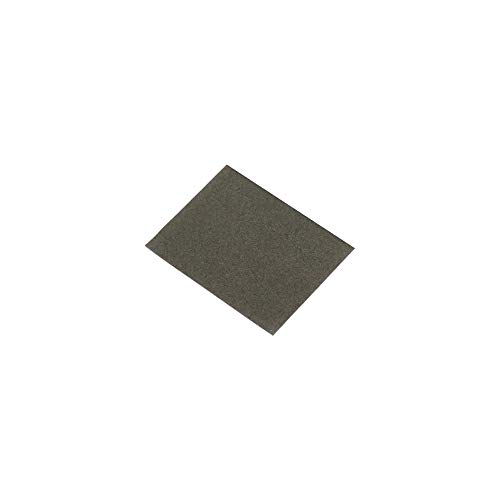
Thermal Grizzly Carbonaut 31x25mm Thermal Pad
Best for: tiny gaps on Nvidia RTX 2080 Ti GPUs
- Compatible Device
- Nvidia RTX 2080 Ti
- Dimensions
- 31 x 25 x 0.2 mm
- Length
- 1.22 inches
- Width
- 0.98 inches
View on Amazon: Thermal Grizzly Carbonaut 31x25mm Thermal Pad Affiliate link
This Thermal Grizzly Carbonaut thermal pad measures 31 by 25 by 0.2 mm. It offers a thermal conductivity of 62.5 W/mK. The pad handles temperatures from -250°C to 150°C. It fits Nvidia RTX 2080 Ti GPUs. You should use it for small gaps on specific graphics cards. The high conductivity helps move heat away from components quickly. It is a specialized solution for tight spaces.
Pros
- High thermal conductivity of 62.5 W/mK
- Small size of 31x25x0.2 mm
- Wide usable temperature range of -250°C to 150°C
- Designed for Nvidia RTX 2080 Ti compatibility
Cons
- Very small dimensions limit use to tiny gaps
- Risk of short-circuiting if attached to terminals
- Specific compatibility restricts use to certain GPUs
Good fit if
- You need a thermal pad for an Nvidia RTX 2080 Ti
- You have a very small gap of 0.2 mm to fill
- You require high thermal conductivity for dense components
Skip if
- You need a larger thermal pad for standard gaps
- You are using a GPU other than the RTX 2080 Ti
- You want to avoid risks of short-circuiting near terminals
Verdict: Thermal Grizzly Carbonaut 31x25mm Thermal Pad is ideal for filling tiny 0.2 mm gaps on Nvidia RTX 2080 Ti graphics cards. Its high conductivity suits users needing precise heat transfer in tight spaces.

Thermal Grizzly Minus Pad Advance 100x100x1.0mm 2-Pack
Best for: GPU and SSD VRAM cooling
- Compatible Device
- GPU, SSD, VRAM, Consoles, Laptops
- Dimensions
- 100x100x1.0 mm
- Features
- Thermal Pad
- Length
- 3.94 inches
- Width
- 3.94 inches
View on Amazon: Thermal Grizzly Minus Pad Advance 100x100x1.0mm 2-Pack Affiliate link
You get two 100x100x1.0 mm thermal pads from Thermal Grizzly. This dark grey material offers high thermal conductivity for GPU and SSD cooling. The flexible design helps compensate for contact tolerances during assembly. It is non-curing and electrically non-conductive, ensuring safe use on sensitive components like VRAM and chipsets. This pack suits users needing precise 1.0 mm thickness for targeted heat transfer in modern hardware setups.
Pros
- High thermal conductivity for efficient cooling
- Flexible material for easy installation
- Electrically non-conductive for safety
- Non-curing for long-term stability
Cons
- Limited to 1.0 mm thickness only
- Square shape may not fit all areas
- No adhesive backing for retention
Good fit if
- You need 1.0 mm thickness for VRAM
- You cool SSD controllers or chipsets
- You prefer non-conductive thermal materials
Skip if
- You require thicker pads for gaps
- You need adhesive for retention
- You have irregular component shapes
Verdict: Thermal Grizzly Minus Pad Advance 100x100x1.0mm fits users needing precise 1.0 mm thickness for VRAM or SSD cooling. Its non-conductive, flexible design ensures safe and effective heat transfer for sensitive electronic components.
Specifications side by side
| Spec | Thermal Grizzly Carbonaut 31x25mm Thermal Pad | Thermal Grizzly Minus Pad Advance 100x100x1.0mm 2-Pack |
|---|---|---|
| Compatible Device | Nvidia RTX 2080 Ti | GPU, SSD, VRAM, Consoles, Laptops |
| Dimensions | 31 x 25 x 0.2 mm | 100x100x1.0 mm |
| Features | not stated | Thermal Pad |
| Length | 1.22 inches | 3.94 inches |
| Width | 0.98 inches | 3.94 inches |
| Size | 31×25×0.2(H)mm | 100x100x1,0mm |
| Model | TG-CA-31-25-02-R | TG-MP-A-100-100-10-2 |
| Color | not stated | Dark Grey |
Frequently asked questions
Can I use the Minus Pad Advance on an RTX 2080 Ti?
The Minus Pad Advance measures 100x100x1.0mm. This size is far too large for the tiny gaps on an Nvidia RTX 2080 Ti. You should use the Carbonaut instead. It measures 31x25x0.2mm and fits those specific tight spaces. Using the larger pad would likely interfere with other components.
Which thermal pad is better for VRAM cooling?
The Minus Pad Advance is better for VRAM cooling. It offers a 1.0mm thickness, which is suitable for many graphics card and SSD VRAM modules. The Carbonaut is only 0.2mm thick. This makes it ideal for very small gaps but less versatile for standard VRAM spacing on larger components.
Do both pads come in packs of two?
The Minus Pad Advance comes in a 2-Pack. The Carbonaut data does not specify a pack quantity. You receive one unit of the Carbonaut. You receive two units of the Minus Pad Advance. Check the product listing to confirm the exact quantity for the Carbonaut before purchasing.
What is the difference in thickness between these two pads?
The Carbonaut is 0.2mm thick. The Minus Pad Advance is 1.0mm thick. This five-fold difference in thickness dictates their use cases. The thin Carbonaut fits tight spaces like GPU memory chips. The thicker Minus Pad Advance bridges larger gaps on SSDs or standard VRAM modules.
Are these pads conductive or non-conductive?
The Minus Pad Advance is described as non-conductive. This ensures safe heat transfer for sensitive electronic components. The Carbonaut data does not explicitly state its conductivity type. You should verify the Carbonaut specifications if electrical insulation is critical for your build to avoid short circuits.
Which pad has higher thermal conductivity?
The Carbonaut lists a thermal conductivity of 62.5 W/m·K. The Minus Pad Advance does not list a specific thermal conductivity number in the provided data. Therefore, the Carbonaut has a confirmed higher conductivity value. This makes it more efficient for transferring heat in its specific application.
Can I cut these pads to fit my needs?
The Minus Pad Advance is 100x100mm. You can likely cut it to size if needed. The Carbonaut is 31x25mm. This small size is pre-cut for specific gaps. Cutting it further would make it unusable. The Minus Pad Advance offers more flexibility for custom fitting due to its larger base dimensions.
What color are these thermal pads?
The Minus Pad Advance is dark grey. The Carbonaut color is not listed in the provided data. You will receive the Minus Pad Advance in dark grey. The Carbonaut may have a different color. Check the product images to see the exact appearance of the Carbonaut pad.